Leaf 04 · Capabilities
11 things a AttorneyWebStudio site does for a law firm, in the order a managing partner usually asks about them. Each one says what it does, the everyday problem it removes, what your part is, and which plan carries it. Everything up to the AI Engine is on Solo Practice; the index below scrolls to each.
Capability 01
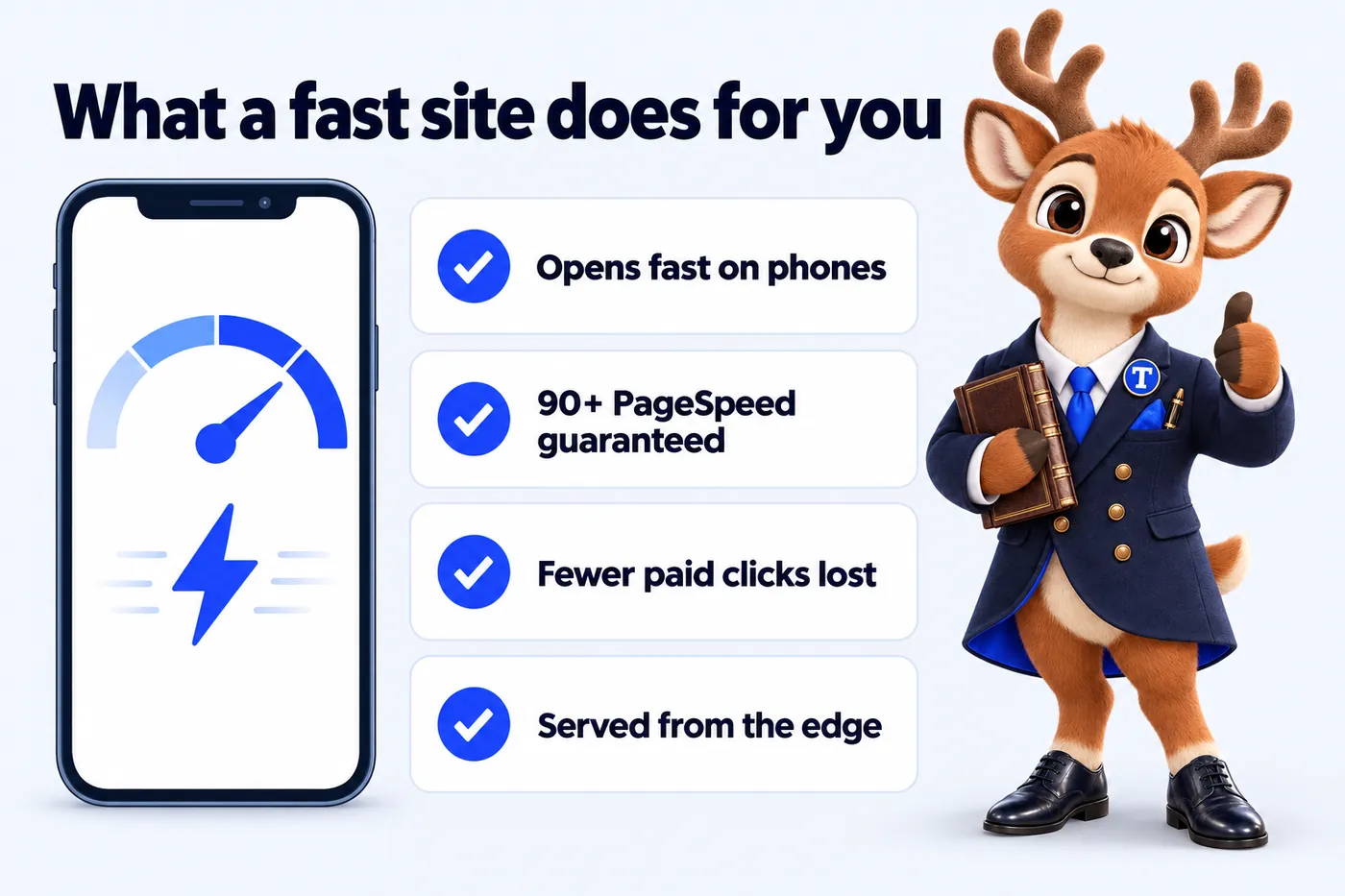
Static, hand-built pages served from the edge, 90+ PageSpeed guaranteed on mobile and desktop.
- The problem it removes
- A prospect taps your ad or a search result on a phone, the page hesitates, and they go back and call the next firm.
- Your part
- Nothing. Speed is how the site is built, and we keep it there.
- Solo Practice
- Multi-Attorney
- Multi-Office
01Why a law firm site has to be fast before it is anything else
A person searching for a lawyer is usually on a phone, often stressed, and rarely patient. If the page hesitates, they go back to the results and tap the next firm. We hand-code every page as static HTML, ship almost no JavaScript, and serve it from Cloudflare's edge, so the practice area page or the office page opens before the visitor has time to reconsider. Speed is not a setting we tune after launch. It is the way the site is built, and it holds when the firm adds its fortieth attorney profile.
02What the 90+ PageSpeed guarantee covers
Every page we build and host scores 90 or above on Google PageSpeed Insights for mobile and desktop, and we keep it there. That includes pages with maps, attorney photos and the intake router. If a page drops below 90 because of something we did, we fix it at no charge. The guarantee does not cover third-party scripts you ask us to add against our advice, such as heavy chat widgets or tracking bundles, and we will tell you before adding one what it will cost the score.
03Why speed matters when the firm pays for clicks
Legal search terms are some of the most expensive clicks in paid search, and every visitor who leaves before the page loads is a click the firm paid for and lost. Google Ads Help lists landing page experience, meaning how relevant and useful the page is to the people who click, as one of the three components of Quality Score, and describes faster mobile landing pages as one of the easiest ways to get better results from mobile ads. A fast, relevant practice area page helps on both counts: more of the paid clicks stay long enough to read the page and start an inquiry, and the page supports a healthier Quality Score, which can lower what the firm pays per click. We do not promise a particular cost per click; we build the page so it is not the reason ads cost more.
04How speed and search connect for a firm
Google measures real-user page experience through Core Web Vitals and treats it as one signal among many. A fast site does not rank on speed alone, but a slow one gives the visitor a reason to leave and gives search engines a reason to prefer a faster competitor on the same query. We build for the vitals from the start: no layout shift when fonts or images load, interaction ready immediately, and the largest element on screen painted early. The result is a site that competes on content and structure rather than losing on mechanics.
Capability 02
One well-structured page for every matter type the firm takes, written answer-first.
- The problem it removes
- One broad practice group page that ranks for nothing specific, so the person searching for their exact matter finds another firm.
- Your part
- Tell us the matter types you actually take. We write the pages; you approve them.
- Solo Practice
- Multi-Attorney
- Multi-Office
01One page per matter type, not one page per department
A page titled "Family law" competes for a broad term against every firm in the state. A page for "Uncontested divorce", another for "Child custody modification" and another for "Prenuptial agreements" each answer a specific search and each route to the right attorney. We map the matter types the firm actually takes, write a page for each one, and connect them under the practice area so a visitor and a search engine both understand the structure. Firms with several practice groups get the same treatment for each group.
02What each practice area page carries
Each page opens with a plain answer to what the matter involves, then covers how the firm handles it, who at the firm handles it (linked to attorney profiles), which offices take it, what a consultation costs and what to bring. A short FAQ at the bottom is emitted as schema so the questions can appear in search results. Every page ends with the intake router pre-set to that matter type, so a visitor who reads about custody does not have to explain again which kind of help they need.
03Written to advertising rules, never as advice
Practice area pages describe what the firm does and how it works. They do not promise outcomes, they do not compare the firm to others, and they do not tell the reader what to do in their own situation. Every page carries the disclaimer your jurisdiction expects and states that reading it does not create an attorney-client relationship. When your compliance review asks for a wording change, it goes through as a weekly update rather than a revision.
Capability 03
A location page for every office and a profile for every attorney, all inside one site.
- The problem it removes
- Offices and attorneys listed in the wrong place for months because nobody owns the website login.
- Your part
- Send headshots and bios, or let us draft bios from what you send. Changes after launch are an email.
- Solo Practice
- Multi-Attorney
- Multi-Office
01A location page for every office, on one domain
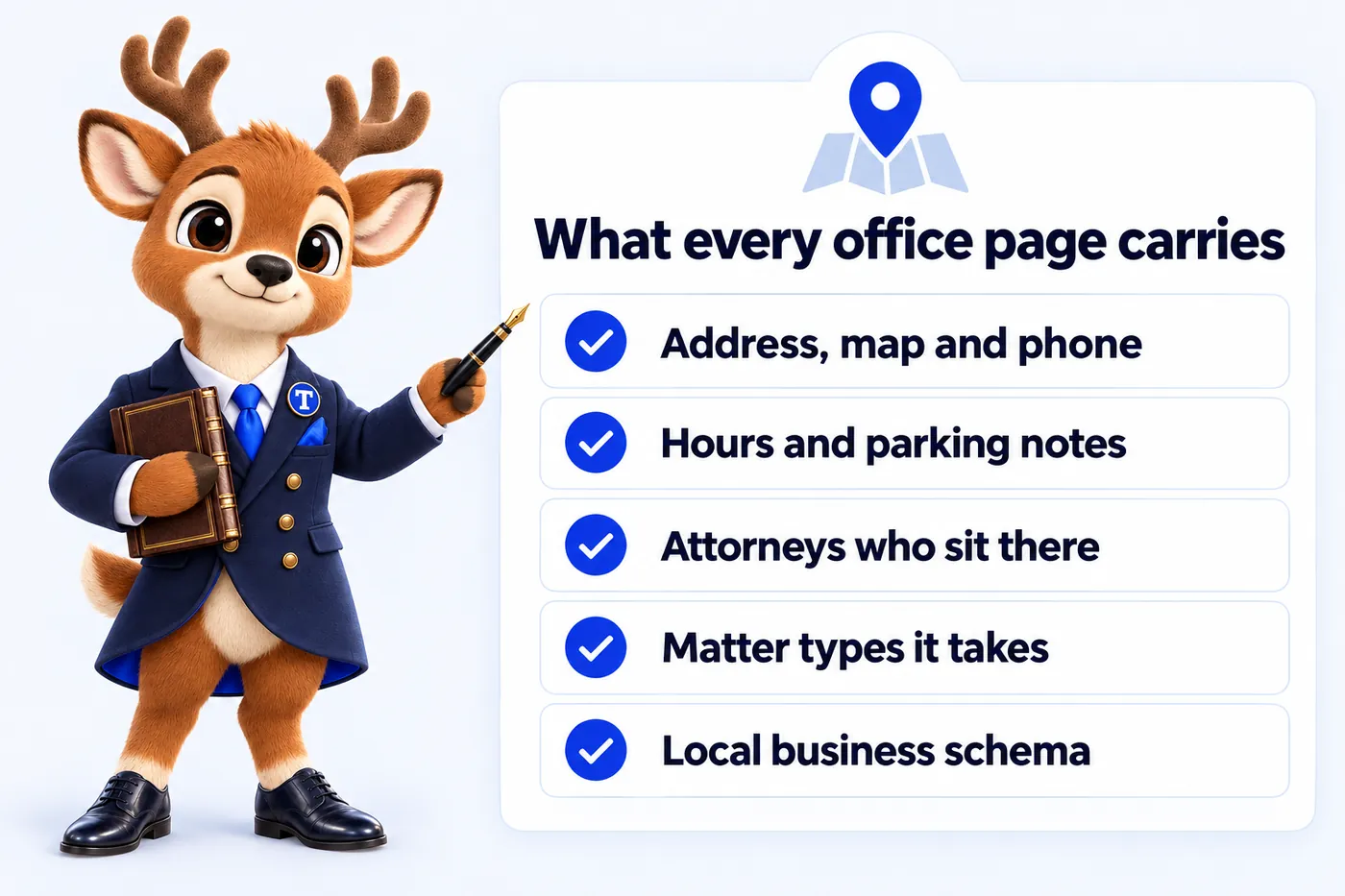
Each office gets its own page with its address, map, phone, hours, parking notes, the attorneys who sit there and the matter types it takes. The page carries LocalBusiness and LegalService schema for that office so search engines can attach it to the right map listing. Because every office lives on the same domain, the authority the firm earns anywhere accrues to the whole site rather than being split across separate office websites that compete with each other.
02Attorney profiles that look like they belong to the same firm
Every attorney gets a profile with a consistent structure: practice areas, offices, bar admissions, education, a short professional biography and a direct inquiry route. Profiles link to the practice area pages they cover and the office pages where they sit, so a visitor can move from "who handles this" to "where" to "how do I reach them" without leaving the structure. When an attorney joins, leaves or moves office, the change is a weekly update and the links repoint automatically.
03Built to keep growing
The site is designed around the assumption that the list of offices and attorneys will change. New offices are added from the same template with the same schema; new attorneys inherit the same profile structure. A firm that opens in a second state gets the office page, the redirect from any old local domain, and the intake routing for that office in the same week. Nothing has to be rebuilt to accommodate scale.
Capability 04
Three questions, then the inquiry goes to the right office or attorney with the consultation terms shown.
- The problem it removes
- Every inquiry lands in one inbox, urgent matters wait behind general questions, and the wrong office calls back days later.
- Your part
- Tell us who takes what, where. We configure the rules and change them when you do.
- Solo Practice
- Multi-Attorney
- Multi-Office
01Three questions, one destination
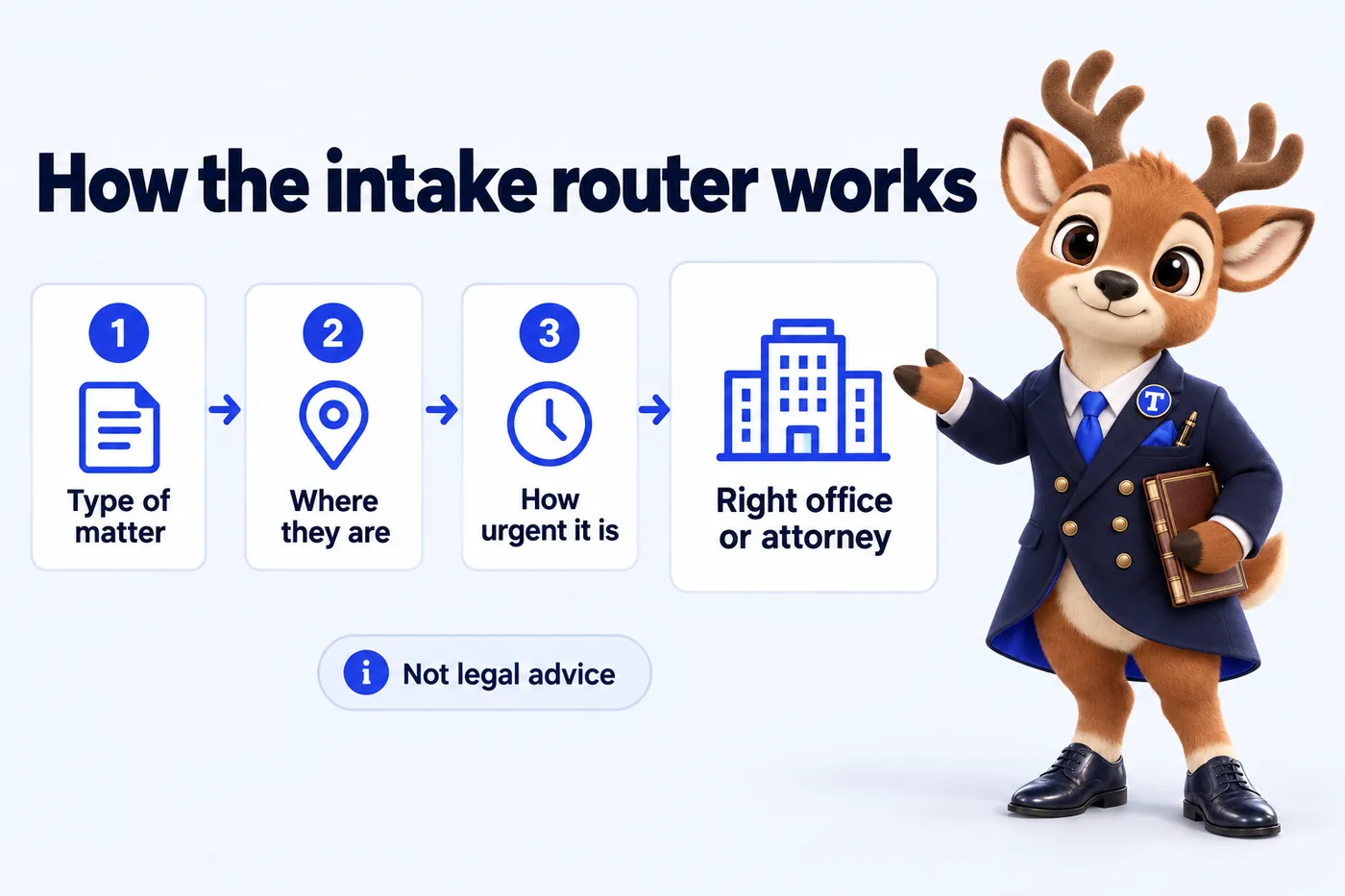
The intake router asks a prospect three things: the type of matter, where they are, and how urgent it is. From those answers it sends the inquiry to the office or attorney the firm has assigned for that matter type in that area, shows the firm's consultation terms for that matter type, and files the inquiry in the intake CRM. It replaces the single "contact us" form that lands everything in one inbox and leaves the receptionist to guess who should take it.
02Routing rules the firm controls
You decide the rules and we configure them: custody matters in the northern counties go to the suburban office, business disputes anywhere go to the commercial group, anything marked urgent pages the on-call intake line. Rules can be by matter type, by office, by county, by attorney or by time of day. When the rules change, the update is made in the same week. The router is the same on every plan; only the volume of inquiries it handles grows with the firm.
03Clearly labeled, never legal advice
The router never assesses a matter on its merits and never tells the visitor whether they have a case. It routes, it shows the consultation terms the firm has published, and it says plainly that it is not legal advice and that submitting an inquiry does not create an attorney-client relationship. Every screen carries that notice. The firm reviews the wording before launch and can change it at any time as a weekly update.
Capability 05
Every form, router and call inquiry lands in the CRM your intake team already uses.
- The problem it removes
- Inquiries copied by hand from email into the CRM, or never copied at all.
- Your part
- Give us access to your CRM or a Zapier or Make account. We connect it and test it with you.
- Solo Practice
- Multi-Attorney
- Multi-Office
01Nothing lives in an inbox
Every inquiry from the site, whether it came through the intake router, a practice area page form, an attorney profile or the AI receptionist, is written to your intake CRM by API, Zapier or Make. Clio Grow, Lawmatics, HubSpot, GoHighLevel and most others connect directly. Each record carries the matter type, the location, the urgency, the page the visitor was on and the office it was routed to, so the intake team sees the context before they call back.
02Assignment and follow-up stay where your team works
We do not ask your intake team to log in to another tool. Routing decides the office; the CRM decides the person, using the assignment rules you already have. Conflict checks, consultation scheduling and follow-up sequences run in your CRM as they do today. If you move CRM, we repoint the integration as a revision and nothing on the site changes.
Capability 06
Attorney moves, new hours, new bar admissions and fee changes published every week without using a revision.
- The problem it removes
- A partner moves office, hours change, a new admission comes through, and the site stays wrong because it is nobody's job.
- Your part
- Email the change in any form. We publish it within the week and reply with the link.
- Solo Practice
- Multi-Attorney
- Multi-Office
01What changes every week at a growing firm
An associate is admitted in a second state. A partner moves from the downtown office to the suburban one. Consultation fees change for one practice group. A new office phone line goes live. None of these is a project, but each one left unpublished makes the site wrong. We publish every detail change you send us within the week, without counting it against your revisions, so the site is always an accurate picture of the firm.
02How to send an update
Email the change to the studio, in whatever form you have it: a sentence, a screenshot of the new letterhead, a forwarded announcement. We confirm what we understood, publish it, and reply with the link. Updates are logged so the firm can see what changed and when. Larger pieces of work, such as a new practice area page or a redesigned office section, are revisions and come with the same turnaround.
Capability 07
2 long-form, cited articles a week on the questions people search before they contact a firm.
- The problem it removes
- A blog with two posts from the year the site launched, and no answers to the questions people search before they call.
- Your part
- Approve topics, or set topics to cover and avoid. Review any article before it goes live if you want to.
- Solo Practice
- Multi-Attorney
- Multi-Office
01Articles every week, each one researched and cited
Every week we publish 2 articles of 2,500 to 3,200 words on questions relevant to the firm's practice areas and locations: what a process involves, what to bring to a first consultation, how a type of matter typically moves through the courts in your state. Each article cites its sources, carries a table of contents, an author box and a FAQ with matching schema, and links to the practice area page and office page it relates to.
02Written for readers, never as advice
Articles explain the general shape of a matter type so a reader arrives at the consultation better informed. They never assess a reader's own situation, never promise an outcome and never suggest that reading them substitutes for speaking to an attorney. Each carries a not-legal-advice note and the firm's required disclaimers. You can review every article before publication, set topics to cover and topics to avoid, and ask for changes as a weekly update.
03Why the articles matter to a multi-office firm
A firm with several offices ranks for the same practice area in several places. Articles let the site answer location-specific questions, such as how a matter is filed in one county versus another, and link those answers to the office that handles them. Over time the site becomes the place people in each area go to understand their situation, which is where the inquiries come from. The Content Engine on the top plan raises the count to 3 a week.
Capability 08
Technical and on-page SEO, office and service-area pages, answer-first FAQs, schema and llms.txt, so search engines and AI assistants can read the firm correctly.
- The problem it removes
- The firm is invisible for the searches that matter in its own cities, and AI assistants describe it vaguely or not at all.
- Your part
- Tell us the cities and counties each office serves. We build and maintain the rest.
- Solo Practice
- Multi-Attorney
- Multi-Office
01SEO: technical, on-page and local
Technical SEO is built in: clean URLs, one canonical per page, an XML sitemap index, a robots file, fast pages and no layout shift. On-page SEO is written in: one clear subject per page, a title and description written for that page, headings that match how people search, and internal links between matter types, offices and attorneys. Local SEO comes from structure: an office page for every location and service-area pages for the cities and counties each office covers, each built for the firm on the firm's own site. Those pages are what let a firm show up when someone searches for a matter type in their own town.
02AEO: being the answer, not just a link
Answer engine optimization means writing so that search features and voice assistants can lift the answer cleanly. Every practice area page and article opens with a direct answer, uses question-shaped headings where they fit, and ends with a short FAQ that is marked up as FAQPage structured data. That structure is what featured snippets, "People also ask" boxes and spoken answers draw from. It never turns into advice to an individual: the answers explain how a matter type generally works.
03GEO: being cited by AI assistants
People now ask ChatGPT, Claude, Perplexity and Google AI Overviews which kind of lawyer they need and how a process works. Generative engine optimization makes the firm easier for those assistants to understand and cite: an llms.txt file that describes the firm and its key pages, consistent names for the firm, its offices and its attorneys everywhere on the site, and plain factual statements with dates and sources. No one can guarantee that an assistant will mention a particular firm; we make the site as clear and citable as it can be.
04Schema: structured data on every page
Every page carries JSON-LD structured data that matches what the visitor can see: the firm as an Organization or LegalService, a LocalBusiness or LegalService entry for each office with its address and hours, Person markup on attorney profiles, Service on practice area pages, FAQPage where questions are answered, and BreadcrumbList everywhere below the home page. Review markup is added only for real reviews the firm has permission to show. Structured data helps search engines and assistants connect the firm, its offices and its people without guessing.
Capability 09
Cloudflare edge hosting, SSL, backups and monitoring inside the monthly fee. Nothing itemized.
- The problem it removes
- A hosting bill, a plugin that needs patching, an SSL certificate that lapses, and nobody at the firm who knows which is which.
- Your part
- Nothing. It is inside the monthly fee.
- Solo Practice
- Multi-Attorney
- Multi-Office
01Where the site lives
The site is served from Cloudflare's network, so a visitor in any of your office cities gets the page from a server close to them. SSL is always on, every deploy is versioned so a change can be rolled back, and the site is monitored so we know it is down before you do. There is no separate hosting invoice and no plugin to update. Hosting, certificates, backups and monitoring are part of the monthly fee on every plan.
02What managed means for a firm
Nobody at the firm logs in to anything. There is no CMS admin to secure, no theme to patch, no server to renew. If a change is needed, you email the studio. If something breaks, we fix it. On cancellation you get an export of your content and articles within 14 days, and your domain leaves with you because it was always yours.
Capability 10
An AI receptionist, site chat and SMS, Messenger and Instagram agents that take inquiries and book consultations, never give advice.
- The problem it removes
- Calls after hours and at lunch go to voicemail, texts wait until morning, and the person has already contacted two other firms.
- Your part
- Approve the scripts before launch and tell us your consultation terms. The agents never give advice.
- Solo Practice
- Multi-Attorney
- Multi-Office
01What the AI Engine answers
On Multi-Attorney and Multi-Office, the AI Engine answers the phone when the intake team cannot, runs the site chat, and replies on SMS, Messenger and Instagram. It describes the firm, its practice areas, its offices and its consultation terms, collects the inquiry details, and books the consultation into the right office. Every call is transcribed and summarized into a call-analysis PDF for the intake team, and every conversation is logged to the CRM.
02Configured never to give legal advice
The agents are scripted to say they are not lawyers, to decline any question that asks for advice, and to hand the conversation to a person when it moves beyond intake. You review and approve the scripts before launch. Consultation terms, matter types and office assignments come from the same rules the intake router uses, so the phone agent and the website say the same thing. Nothing an agent says creates an attorney-client relationship, and the scripts say so.
03Messaging registration and usage
Text messaging in the United States requires A2P 10DLC registration. We file it for the firm so SMS replies go through reliably rather than being filtered by carriers. The AI Engine itself is inside the monthly fee; usage, meaning the minutes answered and messages handled, is billed at cost each month with a running total you can see. A firm with a quiet after-hours line pays very little for it.
Capability 11
3 articles a week, 3 social image posts, 2 reels and a managed Google Business Profile for each office.
- The problem it removes
- Nobody at the firm has time to post every week or keep each office's Google Business Profile current.
- Your part
- Approve the monthly calendar. Pull anything before it goes out.
- Solo Practice
- Multi-Attorney
- Multi-Office
01What the Content Engine adds on Multi-Office
Multi-Office raises the article count to 3 a week and adds 3 social image posts and 2 short reels a week, drawn from the articles and the firm's own news: a new office, a new practice group, a partner admitted in another state. Each piece is written to the same rules as the articles: no outcome claims, no comparisons, no advice. You approve the calendar and can pull anything before it goes out.
02Google Business Profile managed for every office
Each office's Google Business Profile is kept accurate and active: hours, categories, services, photos, posts and responses to questions. The profiles link to the matching office page on the site so the map listing and the website reinforce each other. Reviews are monitored and flagged to the firm; we never post replies on the firm's behalf that could be read as advice or as a comment on a matter. For a firm with several offices this is the part of local presence that most often goes stale.
By plan
Everything up to the AI Engine is on every plan. The Content Engine is on Multi-Office only.
| Capability | Solo Practice$137/ month | Multi-Attorney$297/ month + usage | Multi-Office$747/ month |
|---|---|---|---|
| Pages that open instantlyStatic, hand-built pages served from the edge, 90+ PageSpeed guaranteed on mobile and desktop. | Included | Included | Included |
| Practice area pagesOne well-structured page for every matter type the firm takes, written answer-first. | Included | Included | Included |
| Office and attorney pagesA location page for every office and a profile for every attorney, all inside one site. | Included | Included | Included |
| Intake routerThree questions, then the inquiry goes to the right office or attorney with the consultation terms shown. | Included | Included | Included |
| Inquiries into your intake CRMEvery form, router and call inquiry lands in the CRM your intake team already uses. | Included | Included | Included |
| Weekly detail updatesAttorney moves, new hours, new bar admissions and fee changes published every week without using a revision. | Included | Included | Included |
| Researched articles2 long-form, cited articles a week on the questions people search before they contact a firm. | Included | Included | Included |
| Search, answer and AI visibilityTechnical and on-page SEO, office and service-area pages, answer-first FAQs, schema and llms.txt, so search engines and AI assistants can read the firm correctly. | Included | Included | Included |
| Managed hostingCloudflare edge hosting, SSL, backups and monitoring inside the monthly fee. Nothing itemized. | Included | Included | Included |
| The AI EngineAn AI receptionist, site chat and SMS, Messenger and Instagram agents that take inquiries and book consultations, never give advice. | Not included | Included | Included |
| The Content Engine3 articles a week, 3 social image posts, 2 reels and a managed Google Business Profile for each office. | Not included | Not included | Included |
In their words
The preparation page for legal intake works because it keeps its focus. People come to the first call prepared, and nobody has been asked to upload anything premature. The link now goes out with our reply to every new inquiry.
Brooke BrightwellLegal secretary, Immigration advice and casework firmFort Wayne, IN GotPreparation guide and inquiry support for legal intake on Solo Practice
We knew the legal intake document was a problem; we had just never prioritized fixing it. Staff now link to the precise section instead of wishing callers luck with a long document. A printable copy still exists for those who ask.
Conrad BollingerHead of client intake, Personal injury claims firmProvo, UT GotStructured reference pages for legal intake on Solo Practice
Splitting new legal intake inquiries from follow-ups sounded minor and was not. New inquiries get the full form; follow-ups take a shorter route with the question itself. Returning customers no longer repeat the whole form to ask one question.
Yvonne LyndonAssistant practice manager, Community legal services practiceSioux Falls, SD GotInquiry categories and guided navigation for legal intake on Solo Practice
The schedule
What the monthly fee covers on every plan, and, just as plainly, what it does not.
- 01
The site
Practice area pages, an office page per location, a profile per attorney, and a blog. Designed and hand-built by the studio.
- 02
The intake router
Three questions, then the inquiry goes to the right office or attorney with your consultation terms shown.
- 03
A free domain
Registered in the firm's name for as long as the plan is active, or we point the one you already own. Either way it stays yours.
- 04
Cloudflare hosting
SSL, CDN, DDoS protection and unmetered bandwidth on Cloudflare's network. No hosting bill, no bandwidth overage, nothing itemized.
- 05
Your CRM, connected
Every inquiry written to the intake CRM you already use, by API, Zapier or Make.
- 06
Fully managed
Weekly detail updates, 5 revisions a month from your client portal, 2 researched articles a week, and a person to email.
Not on the invoice
What is not included
Legal advice or a compliance sign-off
We are not a law firm. We write to avoid outcome claims and add the disclaimers you ask for, but the firm reviews its content and stays responsible for its advertising rules.
Revisions beyond 5 a month
Each extra revision is a flat $20, with no hourly billing. Weekly detail updates never count as revisions.
AI usage on the AI Engine plans
The AI Engine is inside the Multi-Attorney and Multi-Office fee; the minutes answered and messages handled are billed at cost each month, with a running total you can see.
The AI Engine on Solo Practice
Solo Practice carries the full site, intake router and management. The AI receptionist, chat and messaging agents start on Multi-Attorney.
Social posts, reels and Google Business Profiles below Multi-Office
The Content Engine is on Multi-Office only. The other plans carry 2 researched articles a week.
A photographer on site
We give photography direction and build around the photos you send, or design pages that work without photos. We do not send a photographer.
Heavy third-party scripts against our advice
The 90+ PageSpeed guarantee does not cover scripts you ask us to add after we have told you what they will cost the score.
Talk to the studio
From $137 a month, live in 7 days, build fee invoiced after launch. Book a demo, or email the studio and a person replies within one working day.